 Colouring Nest
Visual Schedule Cards for Kids
- Ages 2–8
- Easy
- 1 page
- Template
- PDF: Letter & A4

Tip: download the Letter or A4 PDF and print it at 100%. The colour-in version is further down. To add your child’s name or change the tasks, use the routine chart maker.
Up nextMorning Routine Chart for Kids →Advertisement
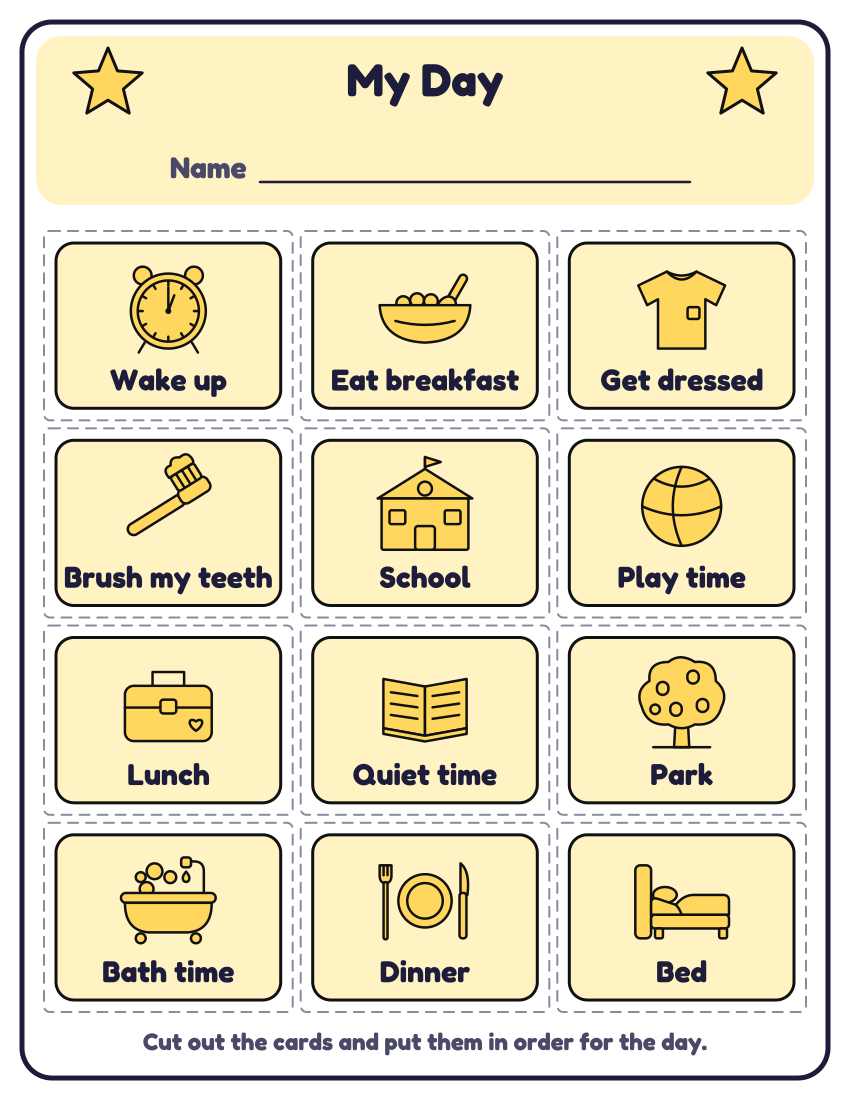
Twelve picture cards for a child’s day: wake up, eat breakfast, get dressed, brush my teeth, school, play time, lunch, quiet time, park, bath time, dinner and bed. Cut along the dashed lines and put the cards in order on a strip, a door or the fridge. Make cards for your own day in the maker.
Add a name and change the tasks →
More versions of this chart
Colour-in version (black and white)
How to use a visual schedule cards
A visual schedule shows what is happening, and in what order, with pictures instead of spoken instructions. Many children benefit, including young children, children with developmental delay and autistic children, and anyone can make one (Raising Children Network).
Lay out only the cards for today, in order, from left to right or top to bottom. Go through them together in the morning, and when an activity is finished let your child turn the card over or move it to a “done” pile.
For longer life, print on card or laminate the cards and stick a small piece of Velcro or Blu Tack on the back. Keep the pictures the same each time, so a card always means the same thing.
Sources: Raising Children Network: Visual schedules and supports. This is general information, not medical advice.
Other charts: Morning routineBedtime routineAfter-school routineChore chartReward or sticker chartPotty training chartBehaviour chartChart maker
Questions about this page
What is a visual schedule?
A row of pictures that shows a child what is happening today, in order. It helps children understand and prepare for what comes next without relying only on spoken instructions.
Who are visual schedules for?
Any child can use one. The Raising Children Network notes that young children, children with developmental delay and autistic children can all benefit.
Can I make cards for other activities?
Yes. In the maker you can pick up to 12 cards from the list or type your own words and choose a picture for each.
Can I put my child’s name on the chart?
Yes. Open the routine chart maker, type the name and it is drawn in big bubble letters at the top. You can change the pictures and tasks too, then print or save a PDF. The name stays in your browser: it isn’t sent to us, saved, or added to the page address.
Advertisement
More routine charts


You might also like


Printing tips
- Print at 100% (actual size) on Letter or A4 paper; thicker paper or card lasts longer on a fridge.
- Slip the chart into a plastic sleeve or laminate it, and tick with a dry-erase marker so you can wipe it clean each week.
- Stickers stay on better than ink on a laminated chart. Star stickers suit younger children.
Advertisement